REA: The Complete Guide to AI-Powered Reverse Engineering
A deep dive into REA (Reverse Engineer Anything) — the viral open-source toolkit that bridges AI coding agents with binary analysis engines like Ghidra and Hopper.
 Adam Nurudini 18 OCT 2026 9 min read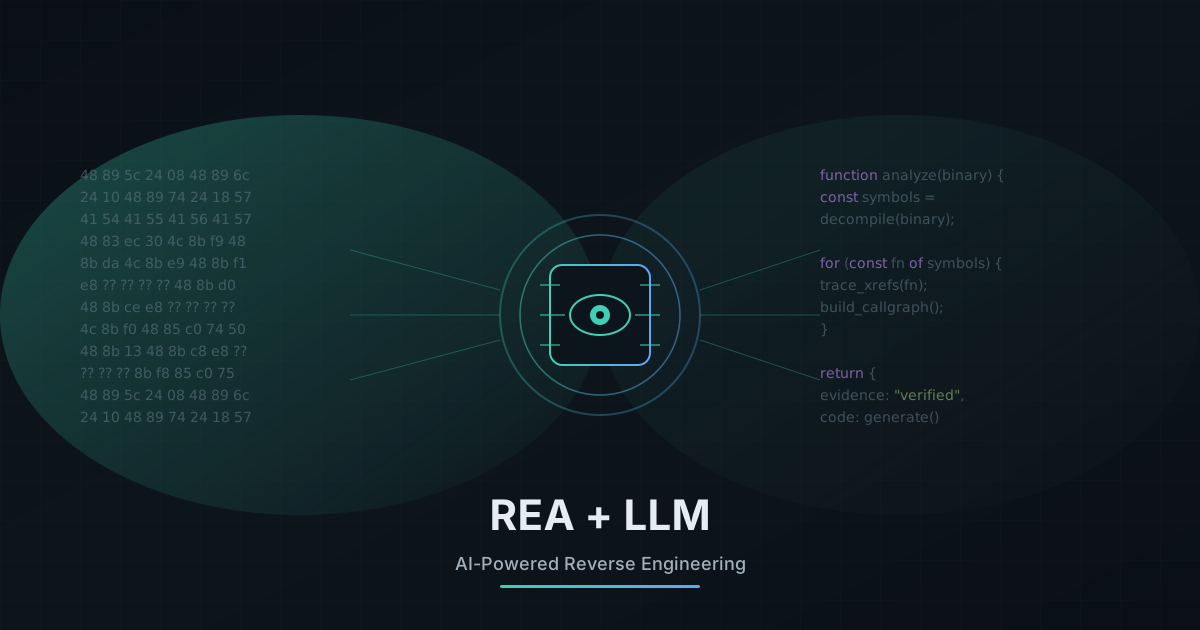
REA (Reverse Engineer Anything) is an MCP server that connects AI coding agents like Claude Code and Codex to traditional reverse engineering tools. It lets you ask an LLM to analyze binaries, trace function calls, and even write replacement code — all with evidence-backed results that never leave your machine.
The Problem REA Solves
Reverse engineering has always been a manual, time-consuming craft. Security researchers spend hours staring at disassembly, tracing call graphs, and mentally reconstructing logic flows. Meanwhile, AI coding assistants have revolutionized how we write code — but they hit a wall when facing closed-source binaries.
LLMs cannot natively read compiled binaries. They can't inspect unexported app behaviors, decompile machine code, or trace IPC channels. REA bridges this gap.
REA (Reverse Engineer Anything) changes the game by acting as an intelligent bridge between AI coding agents and industry-standard analysis engines like Ghidra, Hopper, and IDA Pro.
github.com/morluto/rea — The official REA MCP server and CLI toolkit.
What Makes REA Different
Local-First Privacy
Your binaries never leave your machine. All analysis runs locally.
Evidence-Backed
Every conclusion comes with verifiable code snippets and SHA-256 digests.
Insight to Code
Understand a feature, then immediately write a replacement for your stack.
Tool Agnostic
Works with Ghidra, Hopper, IDA — wraps mature tools you already trust.
The Architecture
REA operates as multi-layer orchestration middleware. When your AI agent wants to inspect a file, it doesn't fumble through raw bytes — it goes through a carefully designed pipeline.
┌─────────────────────────────────────────────────────────────┐
│                    AI CODING AGENT                        │
│           Claude Code  ·  Codex  ·  Cursor  ·  Pi           │
└─────────────────────────────┬───────────────────────────────┘
                              │
                    Model Context Protocol (MCP)
                              │
                              ▼
┌─────────────────────────────────────────────────────────────┐
│                      REA SERVER                           │
│  ┌─────────────────────────────────────────────────────┐   │
│  │  Middleware Chain                                    │   │
│  │  Audit → Kill-Switch → Policy → Redaction           │   │
│  └─────────────────────────────────────────────────────┘   │
│  ┌─────────────────────────────────────────────────────┐   │
│  │  Evidence v2 Tracking  ·  State Management          │   │
│  └─────────────────────────────────────────────────────┘   │
└─────────────────────────────┬───────────────────────────────┘
                              │
        ┌─────────────────────┼─────────────────────┐
        │                     │                     │
        ▼                     ▼                     ▼
┌───────────────┐   ┌───────────────┐   ┌───────────────┐
│ NATIVE APPS   │   │  ELECTRON     │   │   BROWSER    │
│ Hopper/Ghidra │   │  JS / ASAR    │   │   CDP / DevTools│
└───────────────┘   └───────────────┘   └───────────────┘
The Middleware Chain
Every REA tool call passes through a strict, fail-closed pipeline:
- 1Audit Enter
Logs a hash-chained record of the invocation
- 2Kill-Switch
Instantly denies execution if
.rea/HALTexists - 3Tier Classification
Categorizes tool as
read,write, ordestructive - 4Policy Check
Validates against autonomy levels (L0–L3) in
.rea/policy.yaml - 5Injection Filter
Scans arguments for protected paths and prompt-injection attempts
- 6Redaction
Scrubs secrets before they reach LLM context windows
The Investigation Flow
An AI-driven reverse engineering session follows a disciplined cycle:
    ┌──────────────┐         ┌──────────────┐         ┌──────────────┐
    │              │         │              │         │              │
    │  DECOMPILE  │────────▶│ UNDERSTAND  │────────▶│  RECREATE   │
    │              │         │              │         │              │
    └──────────────┘         └──────────────┘         └──────────────┘
           │                        │                        │
           ▼                        ▼                        ▼
    ┌──────────────┐         ┌──────────────┐         ┌──────────────┐
    │ Extract:     │         │ Trace:       │         │ Generate:    │
    │ • Pseudocode │         │ • Xrefs      │         │ • Functional │
    │ • Symbols    │         │ • Call graphs│         │   code       │
    │ • Strings    │         │ • IPC flows  │         │ • Tests      │
    └──────────────┘         └──────────────┘         └──────────────┘
What REA Can Analyze
| Target Type | What REA Returns | Requirements |
|---|---|---|
| Native Binaries | Pseudocode, assembly, symbols, call graphs | Hopper, Ghidra, or IDA |
| JavaScript / Electron | Modules, imports, IPC channels, routes | Built-in (no deps) |
| Websites & Web Apps | DOM structure, scripts, network payloads | Chrome via CDP |
| .NET Assemblies | Metadata, CIL instructions, dependencies | Built-in |
| Android APKs | Manifest, classes, decompiled methods | JADX + JDK |
| Archives (ZIP, IPA, ASAR) | Content-addressed inventories | Built-in |
Installation & Setup
- Node.js: v22.19+ or v24.11+ (or v26+)
- OS: macOS 12+, Ubuntu 24.04+, Fedora 41+, Arch Linux (64-bit)
- Analysis Engine: Hopper Disassembler (optional, recommended for deep native analysis)
Step 1: Install Globally
npm install --global rea-agentsStep 2: Run Interactive Setup
rea setupThis detects installed agents (Claude Code, Codex, Cursor, etc.), shows a transparent review plan, backs up existing configs, and waits for your approval.
Step 3: Verify Installation
rea doctorReal-World Case Studies
Notion Clipboard Bridge
An agent traced Notion's clipboard functionality from the UI renderer through preload scripts and IPC channels into the native process — reconstructing the entire data flow.
Retro Game Math
REA helped reconstruct the sound-pan calculation from DX-Ball and the bullet-ring formula from Touhou TH04 with extreme fidelity.
Electron App Analysis
Developers examining CloudCLI discovered that scoping scans to /electron/ instead of node_modules prevents OOM errors and yields accurate IPC maps.
REA vs. Lean REA
While REA ships with a robust 207-tool MCP server, some developers encounter context window bloat. Enter Lean REA — a lightweight alternative.
| Feature | Full REA (MCP Server) | Lean REA (Skill File) |
|---|---|---|
| Architecture | MCP Server + 70–207 tools | Single ~8KB instruction file |
| Execution | Proxied middleware calls | Direct shell (rg, otool, strings) |
| Token Overhead | Higher (loads full schemas) | Minimal |
| Best For | Deep native binary decomposition | Fast script/source analysis |
| Repository | morluto/rea | a16z/lean-rea |
Install the lean variant:
npx skills add a16z/lean-reaPractical Example: Analyzing an Electron App
Let's walk through a real example of using REA to analyze Slack's desktop app and understand how it handles deep links.
Step 1: Point REA at the Target
# Navigate to the Slack app bundle
cd /Applications/Slack.app/Contents/Resources
Start Claude Code (REA is already configured via rea setup)
claude
Step 2: Ask the Agent to Investigate
Now you can have a natural conversation with Claude Code about the app:
# Your prompt to Claude Code:
> How does Slack handle slack:// deep links? Trace the flow from
> URL click to the actual channel navigation.
# Claude Code will use REA tools to:
1. Scan the app.asar for protocol handlers
2. Find the deep link registration in package.json
3. Trace the IPC channel from main → renderer
4. Identify the router that parses slack:// URLs
5. Return evidence-backed findings with code snippets
Step 3: Review the Evidence
REA returns structured evidence you can verify:
{
  "evidence_id": "ev2_a8f3c2d1",
  "sha256": "9f86d08...",
  "finding": {
    "file": "dist/main.bundle.js",
    "function": "handleDeepLink",
    "line": 4521,
    "snippet": "protocol.registerHttpProtocol('slack', (req) => {...})"
  }
}
Step 4: Generate Replacement Code
Once you understand the mechanism, ask the agent to write code for your own app:
> Based on what you found, write a deep link handler for my
> Electron app that handles myapp:// URLs and routes to React views.
# Claude Code generates working code based on the traced logic
In minutes, you went from "how does Slack do this?" to working code for your own app — all with verifiable evidence and no guesswork.
Security Considerations
REA's local provider bridge is powerful, but it is not a secure sandbox. Executing untrusted binaries always carries inherent operational risks.
Safety Mechanisms
Create .rea/HALT to instantly shut down all tool execution.
If a tool errors, the circuit breaker trips and halts execution.
API keys, PEM files, and credentials are scrubbed before reaching LLMs.
Best Practices Checklist
Conclusion
REA represents a paradigm shift in how we approach reverse engineering. By bridging AI coding agents with battle-tested analysis tools, it transforms what was once a week-long manual effort into an interactive conversation with your code.
Whether you're tracing IPC channels in Electron apps, reconstructing game logic from DOS-era binaries, or auditing the behavior of closed-source tools — REA lets you move from curiosity to working code faster than ever before.
Install REA today with npm install --global rea-agents and run rea setup to connect your favorite AI coding assistant.
Adam Nurudini
Offensive Security Consultant specializing in vulnerability research, penetration testing, and red team operations. Published CVE author.